1 / 23
Represent Data with Plots | Lesson 1 of 2

Dot Plots and Histograms

Lesson 1 of 2: Represent Data with Plots

In this lesson:

  • Plot every data value using dot plots
  • Group large data sets with histograms
  • Interpret distribution shape from each display
Grade 9 Statistics | HSS.ID.A.1
Represent Data with Plots | Lesson 1 of 2

Learning Objectives

By the end of this unit, you should be able to:

  1. Construct dot plots, histograms, and box plots to represent data
  2. Choose the most appropriate plot type for the data and question
  3. Interpret patterns, outliers, and distribution shape from each plot
  4. Compare the strengths and limitations of each plot type
  5. Use technology (spreadsheets, calculators) to create data displays efficiently
Grade 9 Statistics | HSS.ID.A.1
Represent Data with Plots | Lesson 1 of 2

You Already Know Data Displays

From middle school, you can already:

  • Plot values on a number line
  • Find mean, median, and mode
  • Read basic bar graphs and tables

Today we upgrade: instead of just summarizing data, we'll visualize entire distributions — seeing shape, spread, clusters, and outliers

Grade 9 Statistics | HSS.ID.A.1
Represent Data with Plots | Lesson 1 of 2

Dot Plots: Every Value Counts

A dot plot represents quantitative data by placing one dot above each value on a number line.

  • Each dot = one data point
  • Stacked dots = repeated values (height shows frequency)
  • Best for small to moderate data sets (under ~50 values)
  • Preserves every individual value — no grouping or summarizing
Grade 9 Statistics | HSS.ID.A.1
Represent Data with Plots | Lesson 1 of 2

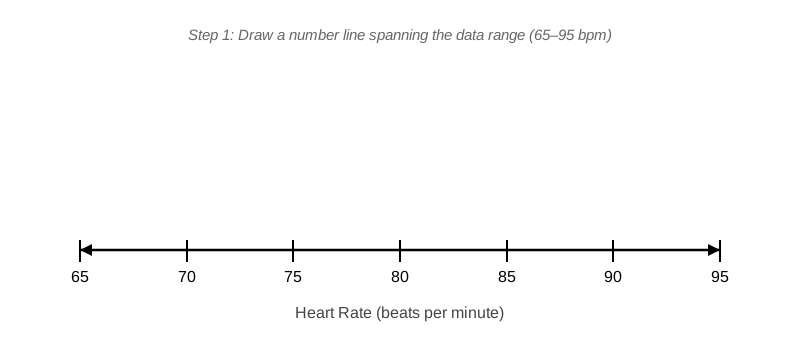
Step 1: Draw the Number Line

Data: Resting heart rates (bpm) for 15 students:
68, 72, 72, 74, 76, 76, 76, 78, 80, 80, 82, 84, 88, 90, 92

Empty number line from 65 to 95 beats per minute with labeled tick marks at every 5 units

Span the range of your data, with tick marks at regular intervals

Grade 9 Statistics | HSS.ID.A.1
Represent Data with Plots | Lesson 1 of 2

Step 2: Place One Dot per Value

Completed dot plot: 15 dots placed above number line from 65 to 95, three stacked at 76, two stacked at 72 and 80

For each data value, place one dot above that number. When values repeat, stack dots vertically.

Grade 9 Statistics | HSS.ID.A.1
Represent Data with Plots | Lesson 1 of 2

What the Dot Plot Reveals

  • Cluster: Most heart rates fall between 72–82 bpm
  • Mode: Three stacked dots at 76 — the most common value
  • Gaps: No students have a heart rate of 83, 85, 86, or 87 bpm
  • Outlier: The value at 92 sits apart from the main cluster
  • Range: Spread from 68 to 92 bpm (range = 24)
Grade 9 Statistics | HSS.ID.A.1
Represent Data with Plots | Lesson 1 of 2

Reading the Dot Plot

Question 1: How many students have heart rate 76 bpm?
→ Count the stacked dots at 76: three students

Question 2: What is the median heart rate?
→ The 8th of 15 sorted values: count left to right → 78 bpm

Question 3: Where is the mode?
→ The tallest stack: 76 bpm (three students)

Grade 9 Statistics | HSS.ID.A.1
Represent Data with Plots | Lesson 1 of 2

Quick Check

Using the heart rate dot plot:

  1. What is the mode (most common value)?
  2. What is the range (maximum − minimum)?
  3. Describe the shape: is the distribution roughly symmetric, or does it trail toward higher or lower values?

Think through each question before advancing for the answers

Answers: Mode = 76 bpm · Range = 92 − 68 = 24 bpm · Shape = roughly symmetric with a slight right tail (the value at 92 stretches the right side)

Grade 9 Statistics | HSS.ID.A.1
Represent Data with Plots | Lesson 1 of 2

Your Turn: Shoe Sizes

A class recorded shoe sizes for 12 students:
6, 7, 7, 8, 8, 8, 9, 9, 10, 10, 10, 12

Your tasks:

  1. Draw a number line from 5 to 13
  2. Place one dot above each value — stack repeats
  3. Answer: What is the mode? Are there any gaps?

Construct the dot plot, then compare with your partner

Grade 9 Statistics | HSS.ID.A.1
Represent Data with Plots | Lesson 1 of 2

When Dot Plots Get Crowded

A store recorded amounts spent by 60 customers on Black Friday.

  • 60 individual dots → cluttered, hard-to-read display
  • We lose sight of the overall pattern

Solution: Group data into intervals → histogram

Trade-off: we lose individual values, but gain a clear view of distribution shape

Grade 9 Statistics | HSS.ID.A.1
Represent Data with Plots | Lesson 1 of 2

Histogram Structure

A histogram groups quantitative data into intervals (bins) and draws a bar for each bin.

  • Horizontal axis: Data intervals (bins), labeled at endpoints
  • Vertical axis: Frequency — count of values in each bin
  • Bars touch: No gaps between bars — the data is continuous
  • Works best for large data sets (50+ values)
Grade 9 Statistics | HSS.ID.A.1
Represent Data with Plots | Lesson 1 of 2

Step 1: Choose Your Bins

Black Friday spending: 60 customers, values range from $10 to $150

Bins of width $20:
[0, 20) · [20, 40) · [40, 60) · [60, 80) · [80, 100) · [100, 120) · [120, 160)

Notation: [0, 20) means 0 ≤ amount < 20 (includes 0, excludes 20)

Bin Frequency
[0, 20) 5
[20, 40) 12
[40, 60) 18
[60, 80) 15
[80, 100) 7
[100, 160) 3
Grade 9 Statistics | HSS.ID.A.1
Represent Data with Plots | Lesson 1 of 2

Steps 2–4: Build the Histogram

Step 2: Draw horizontal axis with bin endpoints; vertical axis labeled 0 to 20

Step 3: For each bin, draw a bar whose height = frequency

Step 4: Bars touch each other — no gaps

Completed histogram of Black Friday spending: 7 bars, tallest at 40-60 bin with height 18, right-skewed distribution

Grade 9 Statistics | HSS.ID.A.1
Represent Data with Plots | Lesson 1 of 2

Quick Check

Using the Black Friday histogram:

  1. Which bin has the most customers?
  2. Approximately where does the median fall?
    • Hint: The median is the average of the 30th and 31st values in sorted order
  3. How many customers spent $80 or more?

Answers: Most customers: [40, 60) with 18 · Median: somewhere in [40, 60) bin · $80+: 7 + 3 = 10 customers

Grade 9 Statistics | HSS.ID.A.1
Represent Data with Plots | Lesson 1 of 2

Reading Distribution Shape

The Black Friday histogram shows a right-skewed distribution:

  • Peak: [40, 60) bin — most customers fall here
  • Tail: Stretches toward higher spending (right side)
  • Shape vocabulary:
    • Symmetric: left and right sides mirror each other
    • Right-skewed: tail stretches toward higher values
    • Left-skewed: tail stretches toward lower values
    • Bimodal: two separate peaks
Grade 9 Statistics | HSS.ID.A.1
Represent Data with Plots | Lesson 1 of 2

The Effect of Bin Width

Same Black Friday data — three different bin widths:

Three side-by-side mini-histograms of same data: narrow bins show noise, medium bins show clear shape, wide bins hide detail

  • Too narrow (bins of $5): Noisy spikes — hard to see overall shape
  • Just right (bins of $20): Clear shape and peak visible
  • Too wide (bins of $50): Over-smoothed — key features hidden
Grade 9 Statistics | HSS.ID.A.1
Represent Data with Plots | Lesson 1 of 2

Histogram vs Bar Graph

Side-by-side: left shows histogram with touching bars for spending data, right shows bar graph with gaps for payment method categories

Histogram Bar Graph
Data type Quantitative (numbers) Categorical (groups)
Bars Touch — no gaps Gaps between bars
Axis Number intervals Category names

⚠️ Watch out: These look similar but represent fundamentally different data types

Grade 9 Statistics | HSS.ID.A.1
Represent Data with Plots | Lesson 1 of 2

Rule of Thumb: How Many Bins?

Aim for 5–10 bins for most data sets:

  • Too few (2–3 bins): Distribution shape hidden — nearly useless
  • Good (5–10 bins): Shape visible, main features clear
  • Too many (20+ bins): Random noise amplified — hard to read

⚠️ Watch out: Very wide bins (too few) hide important patterns — bigger is not always clearer

Statistical software picks bins automatically — always inspect and adjust if needed

Grade 9 Statistics | HSS.ID.A.1
Represent Data with Plots | Lesson 1 of 2

Worked Example: Describing a Histogram

Test scores for 50 students (bins of width 10):

Bin Frequency
[50, 60) 2
[60, 70) 8
[70, 80) 15
[80, 90) 18
[90, 100] 7

Describe the distribution: Roughly mound-shaped, centered in the 80s, with a slight left tail (a few low scores pulling the left side down)

Grade 9 Statistics | HSS.ID.A.1
Represent Data with Plots | Lesson 1 of 2

Your Turn: Temperature Histogram

Daily high temperatures (°F) over 60 summer days:

Bin Frequency
[70, 75) 3
[75, 80) 8
[80, 85) 14
[85, 90) 18
[90, 95) 12
[95, 100) 5

Your tasks: Construct the histogram · Describe the shape · Identify the most common temperature range

Draw axes, draw bars (touching!), then describe what you see

Grade 9 Statistics | HSS.ID.A.1
Represent Data with Plots | Lesson 1 of 2

Key Takeaways

Dot plots show every individual value — best for small data sets (< ~50 values)

Histograms group data into bins — best for large data sets (50+ values) to reveal shape

✓ Both displays go on a number line — they are for quantitative (numerical) data

⚠️ Watch out: Histogram bars touch (continuous data); bar graph bars have gaps (categories)

⚠️ Watch out: Too few bins hides shape; too many bins adds noise — aim for 5–10 bins

Grade 9 Statistics | HSS.ID.A.1
Represent Data with Plots | Lesson 1 of 2

Coming Up: Lesson 2

Box Plots and Choosing the Right Plot

  • Construct box plots using the five-number summary
  • Identify and interpret outliers mathematically
  • Compare distributions using side-by-side box plots
  • Choose the best plot type for any data situation

You've mastered dot plots and histograms — Lesson 2 completes the toolkit
Grade 9 Statistics | HSS.ID.A.1